
Download Cut Video – Cut Video, Video Editor, Trim Video, Convert Video, Video to GIF, Video to MP3, Video to PNG, Hardcode Subtitles, Mobile Video Tool, Video Conversion App
Overview
Cut Video is a streamlined mobile application designed to simplify video editing and conversion tasks on Android devices. The app targets users who need quick, on-the-go solutions for trimming video clips, converting file formats, and preparing content for social media or personal use. Its intuitive interface enables users to perform essential editing functions with minimal effort, making it ideal for casual creators, content curators, and individuals managing video content without professional tools.
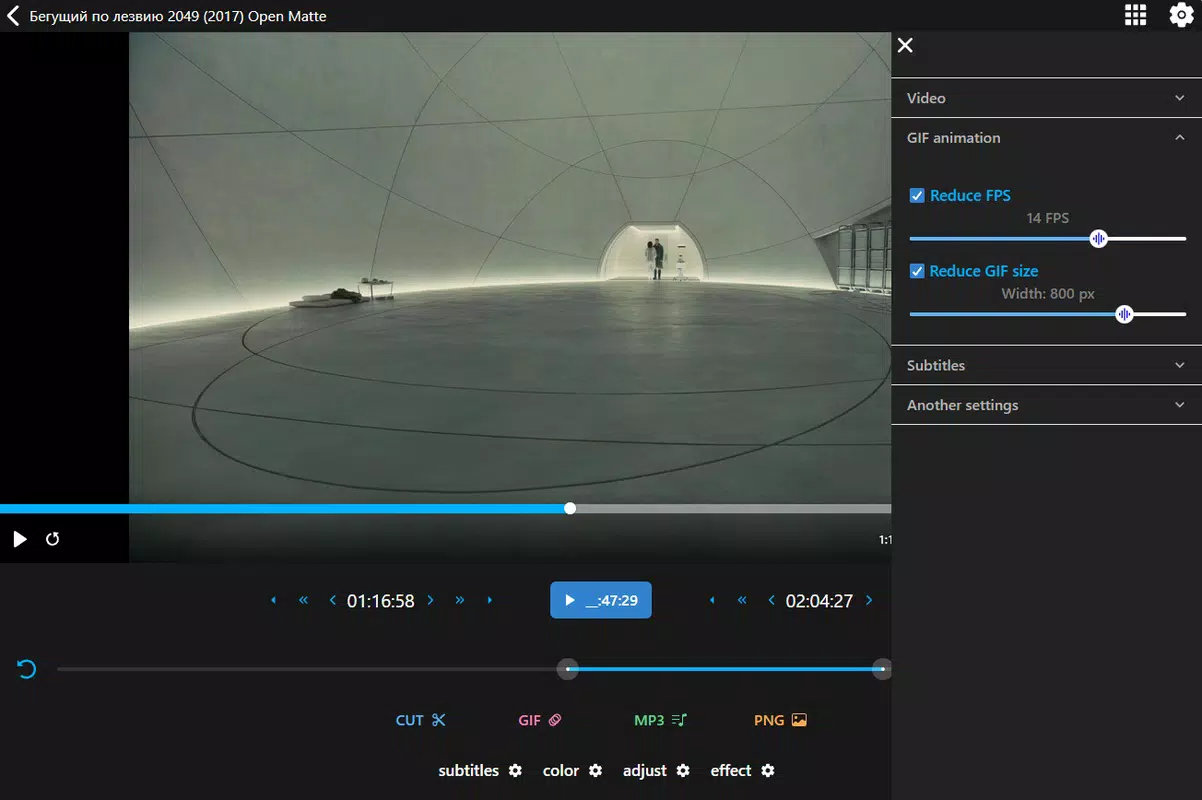
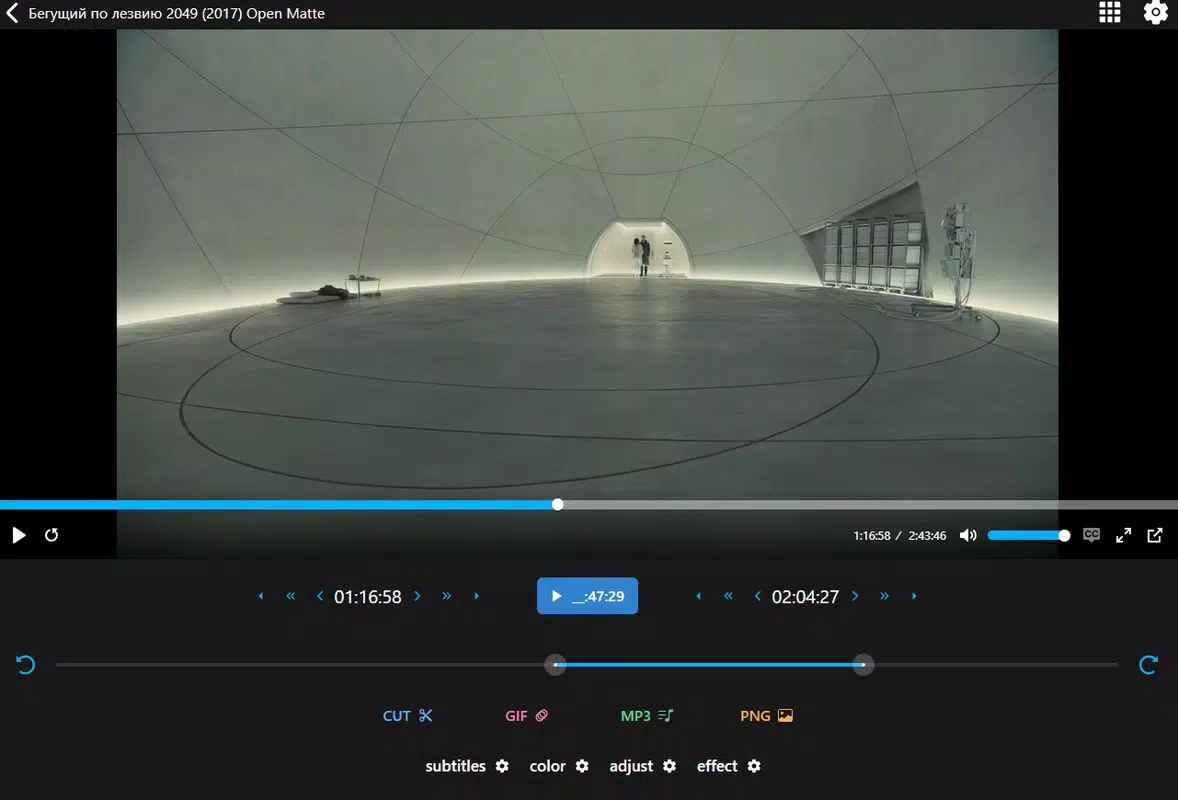
The app supports a range of video formats, including MP4, MKV, AVI, and WEBM, ensuring broad compatibility across different sources and platforms. This versatility allows users to work with videos from various devices and applications without needing additional software. One of the key strengths of Cut Video lies in its ability to go beyond basic trimming by offering advanced conversion features such as creating GIFs, extracting audio as MP3, converting video frames to PNG images, and hardcoding subtitles.
These capabilities make it a multifunctional tool within the productivity category, filling a gap for users who require a lightweight yet capable solution. The app is particularly useful for those who want to repurpose video content efficiently—whether for social media posts, online portfolios, or personal archives. While the developer did not provide additional technical details, the app’s focus on usability and functionality suggests a targeted approach to enhancing mobile video workflow.
Its release in August 2025 indicates a current, actively maintained tool in the evolving mobile content creation ecosystem.
Key Features & Functionality
- Multiple Format Support: Cut Video handles a variety of video formats including MP4, MKV, AVI, and WEBM, enabling seamless editing regardless of the source file type. This ensures compatibility with videos captured from different devices and platforms.
- GIF Animation Creation: Users can extract short clips and convert them into animated GIFs, ideal for creating engaging, shareable content for social media platforms like Twitter, Instagram, or messaging apps.
- Audio Conversion: The app allows users to extract audio from video files and save them as MP3 files, making it easy to repurpose soundtracks or create standalone audio content.
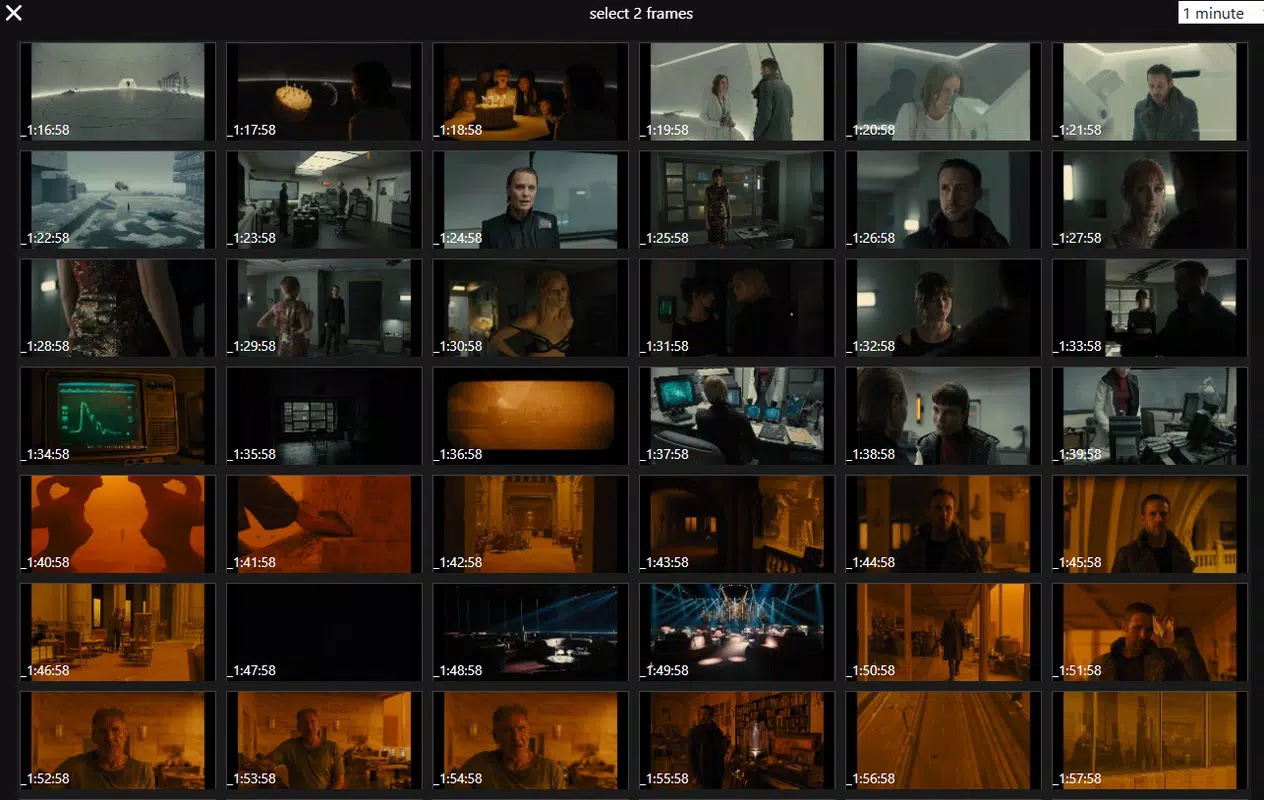
- Image Conversion: With the ability to convert video frames into PNG images, users can capture high-quality stills from their videos for use in presentations, websites, or digital art projects.
- Subtitle Hardcoding: Cut Video supports embedding subtitles directly into video files—either from the original file or external sources—improving accessibility and viewer experience for multilingual audiences.
Each feature is designed to serve real-world use cases. For example, a student might trim a lecture video to extract key moments, convert the audio to MP3 for offline listening, and save a relevant frame as a PNG for notes. A social media manager could use the app to quickly create a GIF highlight from a longer video, hardcode subtitles for global reach, and export the result for immediate posting. The app’s functionality supports a broad spectrum of content workflows, offering a centralized tool for video manipulation without requiring multiple applications. Although the developer did not list formal performance metrics, the app’s focus on core editing tasks suggests optimized processing for standard mobile hardware.
Interface, UX & Performance
The interface of Cut Video is described as streamlined and intuitive, prioritizing ease of access to core editing functions. Navigation appears to be designed around a central workflow: select a video, perform edits (trim, convert), and export the result. The layout likely emphasizes visual clarity and touch-friendly controls, minimizing the need for complex menus.
This design philosophy supports quick learning curves, allowing users to begin editing immediately without prior experience. The visual style is likely minimalistic, focusing on functionality over decorative elements, which aligns with the app’s productivity positioning. Users can expect a responsive interface that adapts to different screen sizes, though specific performance data was not provided.
Although the developer did not list formal performance metrics, the app’s lightweight size of 30.5 MB suggests efficient resource usage. This makes it suitable for a wide range of Android devices, including mid-tier and older models. Stability and responsiveness are likely maintained through focused development on essential features, avoiding bloat.
The app’s ability to handle multiple formats and conversions indicates robust backend processing, even if advanced editing tools are not included. Overall, the user experience appears optimized for speed and simplicity, making it a reliable choice for quick video tasks. The developer did not specify minimum OS requirements, but its compatibility with current Android versions is assumed based on its release date.
Platform Compatibility & Technical Requirements
Cut Video is available exclusively on the Android platform, designed to run on Android devices with no specified minimum OS version. The app’s file size is 30.5 MB, which is relatively compact for a multimedia tool, suggesting efficient code and minimal bloat. This size makes it accessible even on devices with limited storage capacity.
The app is currently available in version 2.0.1, indicating ongoing development and updates. While the developer did not specify minimum OS requirements, the app’s release date of August 18, 2025, implies compatibility with modern Android systems. Users can expect the app to function on a wide range of Android smartphones and tablets, though specific device requirements were not disclosed.
The absence of a price tag—listed as free—makes it accessible to a broad audience. The app does not require internet access for core functions, allowing offline use, which is beneficial for users in low-connectivity environments. Compatibility with various video formats further enhances its utility across different device ecosystems.
The developer did not provide additional technical details, such as RAM or processor requirements, but the app’s lightweight nature suggests it can run smoothly on standard Android hardware.
Pros and Cons
Pros
- Lightweight size (30.5 MB) enables easy installation and storage use.
- Supports multiple video formats for broad compatibility.
- Offers versatile conversion features including GIF, MP3, and PNG output.
- Includes subtitle hardcoding for improved accessibility.
- Free to download and use with no in-app purchases.
Cons
- Specific system requirements were not listed by the developer.
- Advanced editing tools such as transitions or filters are not mentioned.
- Compatibility with older Android versions was not confirmed.
- Performance metrics and processing speed were not disclosed.
- No information was provided about automatic backups or cloud integration.
FAQ
Is Cut Video available on iOS?
Cut Video is currently available only on the Android platform. There is no information available about an iOS version at this time.
Can I use Cut Video without an internet connection?
Yes, the app functions offline. Core editing and conversion features do not require internet access, making it suitable for on-the-go use.
Does Cut Video support video editing on older Android devices?
The developer did not specify compatibility with older Android versions. However, the app’s lightweight size suggests it may run on a variety of devices, including those with older hardware.
Is the app safe to download and install?
Cut Video is free and available through official Android channels. As with any app, users should ensure they download from trusted sources to maintain device security.
How often is Cut Video updated?
The app is currently at version 2.0.1, released on August 18, 2025. While update frequency is not specified, the presence of versioning indicates active development.
Final Thoughts
Cut Video stands out as a practical, no-frills tool for users seeking efficient video editing and conversion on Android. Its ability to trim, convert, and enhance video content with minimal effort makes it a valuable addition to any mobile productivity toolkit. The inclusion of features like GIF creation, audio extraction, image export, and subtitle hardcoding adds significant utility beyond basic trimming.
While it may not replace full-featured desktop editors, it excels in delivering essential functions in a compact, user-friendly package. The app is particularly beneficial for students, social media managers, content curators, and casual creators who need fast, reliable tools without the complexity. Its free pricing model and lightweight design further enhance its accessibility.
For anyone looking to streamline their video workflow on a smartphone, Cut Video offers a smart, efficient solution. Download Cut Video now.


